
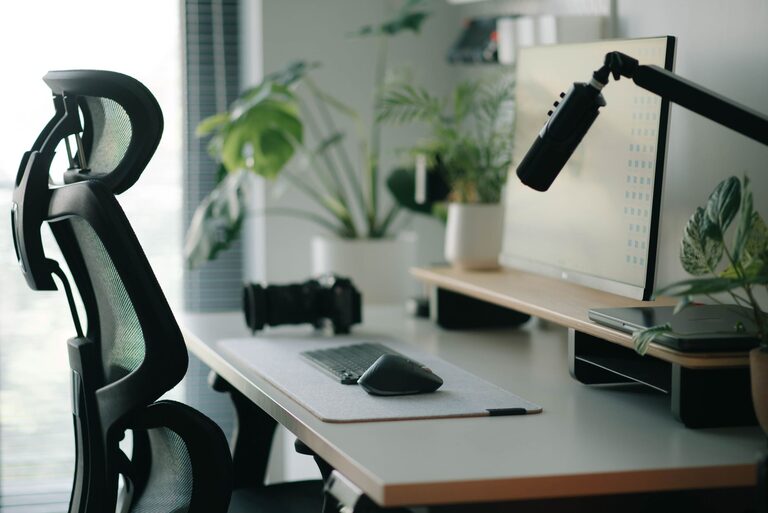
A well-designed desk setup can make work feel easier and more enjoyable. You do not need expensive furniture or complicated technology to create a better workspace. Small changes to your desk, chair, lighting, and daily habits can help you stay focused while making long work sessions more comfortable.
The best setup is one that fits your space, your tasks, and your personal preferences. Use the tips below to build a workspace that feels organized, practical, and easy to maintain.
Start With a Clear Purpose
Before moving furniture or buying accessories, think about how you use your desk. A setup for writing may need more open space, while a setup for design, gaming, or video calls may require additional screens and equipment.
Ask yourself:
– What tasks do I do most often?
– Do I use a laptop, desktop computer, or both?
– Do I need space for notebooks, creative tools, or other supplies?
– Do I work in one location or move between rooms?
– What currently distracts or inconveniences me?
Your answers can help you avoid buying items that do not solve a real problem. Begin with the essentials, then improve the setup over time.
Position Your Desk Carefully
Desk placement affects lighting, noise, and distractions. If possible, place your desk near natural light without positioning the screen directly in front of a bright window. Direct sunlight can create glare and make the screen harder to read.
A good location should also provide enough room to move your chair comfortably. Avoid placing the desk where drawers, doors, or walkways interfere with your workspace.
Consider these placement tips:
– Face away from high-traffic areas when you need deep focus.
– Keep the desk close to power outlets.
– Leave enough space behind the chair to move freely.
– Avoid placing the screen where reflections are common.
– Use a wall, bookshelf, or plant to create a visual boundary if the room is busy.
If noise is a problem, headphones, a small fan, or quiet background audio may help create a more consistent environment.
Choose a Comfortable Chair
Your chair should support a relaxed, stable sitting position. It does not need to be expensive, but it should allow you to sit with your feet supported and your shoulders relaxed.
Adjust the chair so that:
– Your feet rest flat on the floor or on a footrest.
– Your knees are positioned comfortably.
– Your lower back has steady support.
– Your elbows can rest naturally near your sides.
– You can sit without leaning forward for long periods.
If your chair is not adjustable, use a cushion or footrest to improve your position. Try several adjustments instead of assuming the first setting is best. Small changes can make a noticeable difference during a full work session.
Set Up Your Screen at a Comfortable Height
A screen that is too low can encourage you to bend forward. A screen that is too high may make you raise your chin or shoulders. Aim for a position that lets you look at the screen with your head in a natural, relaxed position.
For a desktop monitor, use a stand, shelf, or monitor arm to adjust the height. If you work from a laptop, consider using a laptop stand with a separate keyboard and mouse. This allows the screen and input devices to be positioned independently.
Keep the screen at a comfortable viewing distance, and adjust the text size if you find yourself leaning closer. Clear, readable text is often more helpful than simply increasing screen brightness.
Keep Your Keyboard and Mouse Within Easy Reach
Your keyboard and mouse should be close enough that you do not need to stretch your arms forward. Keep your shoulders relaxed and your elbows near your body.
A few simple improvements include:
– Center the keyboard with your main screen.
– Place the mouse beside the keyboard.
– Avoid storing items beneath your wrists if they make typing awkward.
– Choose a keyboard layout that feels familiar.
– Use a mouse that fits comfortably in your hand.
If you switch between a laptop and another computer, a wireless keyboard and mouse can help keep the desk organized. Use a cable tray or clips to prevent cords from sliding off the back of the desk.
Improve Your Lighting
Good lighting helps you see your work clearly and can make the room feel more inviting. A mix of natural and artificial light is often useful.
Place a desk lamp on the side opposite your writing hand to reduce shadows when taking notes. If you use a screen, position the lamp so it lights the desk without shining directly onto the display.
Try to avoid:
– Strong glare on the screen
– A single bright light in an otherwise dark room
– Light coming directly from behind the screen
– Lamps that create distracting reflections
A lamp with adjustable brightness can make it easier to adapt the workspace throughout the day. Keep the lighting comfortable rather than excessively bright.
Organize the Items You Use Most
A tidy desk does not need to be completely empty. The goal is to keep frequently used items nearby and move everything else out of the main work area.
Create three simple zones:
- **Primary zone:** Items you use constantly, such as your keyboard, mouse, notebook, or phone.
- **Secondary zone:** Items you use occasionally, such as reference books, chargers, or a calculator.
- **Storage zone:** Items you rarely use, which can go in a drawer, cabinet, or nearby shelf.
Use a small tray for loose items and a holder for pens or tools. At the end of the day, return each item to its usual place. A quick reset can make it easier to begin the next work session.
Reduce Digital Distractions
A comfortable physical setup is only part of the picture. Your computer and phone can also affect your ability to focus.
Consider these simple changes:
– Close tabs that are not related to your current task.
– Turn off nonessential notifications.
– Keep your phone out of immediate reach when possible.
– Use separate browser profiles for work and personal activities.
– Keep frequently used files in clearly named folders.
– Use a simple task list to decide what to work on next.
You can also create a dedicated focus mode on your computer or phone. The goal is not to remove every interruption, but to make unnecessary distractions less visible.
Add Personal Touches With Purpose
A workspace should feel pleasant, not purely functional. Add a few items that make the area feel like your own, such as a small plant, framed photo, calendar, or favorite desk accessory.
Be selective. Too many decorations can use valuable space or become distracting. Choose items that improve the atmosphere without competing with your work.
You can also use color thoughtfully. Neutral tones may create a calm background, while a small amount of color can add energy and personality.
Build Simple Reset Habits
Even a well-planned desk can become cluttered during a busy day. A few repeatable habits help keep it working well.
Try this quick routine:
– Clear empty cups, wrappers, and unrelated items.
– Return supplies to their storage area.
– Coil or reconnect loose cables.
– Write down unfinished tasks.
– Adjust the chair, screen, or lamp if anything feels awkward.
– Leave one clear area for starting tomorrow’s work.
Every few weeks, review the setup and remove items you no longer use. Your needs may change as your projects, equipment, or work schedule change.
Make One Improvement at a Time
You do not have to redesign your entire workspace in one weekend. Start with the adjustment that will make the biggest difference, such as improving screen height, adding better lighting, or clearing unnecessary clutter.
Use the desk for several days before deciding what to change next. This gives you time to notice which improvements are genuinely useful. With a few thoughtful adjustments, your desk can become a more focused, comfortable, and dependable place to work.